

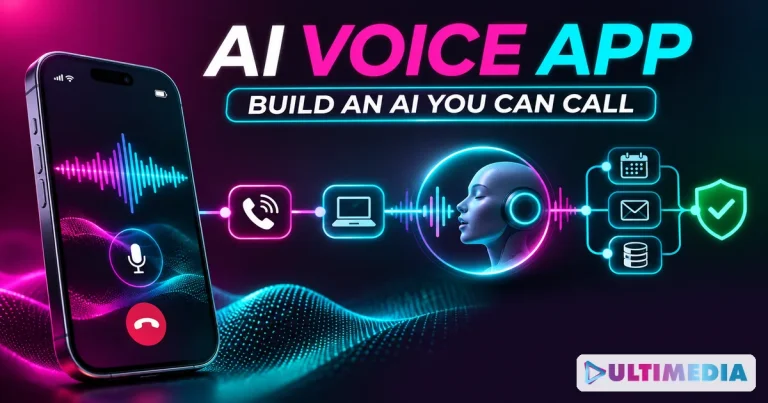
You dial a normal South African number and say, “Move tomorrow’s site visit to Friday if the team is free.” You interrupt: “Actually, don’t notify the client yet.” The AI stops talking, checks the calendar only after you’ve verified your identity, and puts an exact proposal in your app for approval. Nothing is sent. That is the difference between a chatbot with a voice and an AI voice app you can trust with work.
The architecture: build an AI voice app with two entry points, WebRTC for in-app audio and SIP telephony for a number callers can dial. Use the same server-side identity, permissions and task engine for both. Let the voice model propose actions; let the server decide what can actually happen.
Watch the UltiMedia video explainer (8:30)
Watch the complete five-video AI Voice App playlist on YouTube
Research cut-off: 25 November 2026. November announcements below are dated; foundational API documentation and legislation are cited for implementation details. This is a reference design, not a claim that UltiMedia operates a live dial-in number.
What is an AI voice app?
An AI voice app combines live speech recognition or speech-to-speech processing with a backend that manages identity, permissions and tools. Users speak through a mobile interface or telephone number. The assistant responds naturally, checks authorised information and proposes actions that require approval before changing business records.
What changed in November 2026?
On 2 November, OpenAI announced outbound SIP calling for all organisations using its Live API. On 19 November, it released GPT-Live-1.1 with reported improvements to multilingual speech, accent consistency and transcription, alongside standby for supported WebRTC sessions. Standby does not establish the same behaviour for telephone calls. These are vendor-reported capabilities, not independent South African language benchmarks.
On 13 November, Twilio made Smart Turn Detection generally available for Conversation Relay. On 17 November, Twilio announced further voice infrastructure capabilities, including changes to speech configuration during a call. Verify feature availability for your account and region before selecting a provider.
Choose your implementation: an AI voice app can use the Realtime API for direct audio sessions, or the newer GPT-Live API with backend delegation. They are distinct interfaces; use the matching SDK and event contracts. A managed Conversation Relay path may reduce media plumbing, while a custom SIP or WebSocket bridge offers more control. We recommend testing one route first.
How an AI voice app answers a real phone call
In the app: a signed-in user taps Talk, the phone opens a WebRTC audio session, and the app shows captions, connection state and any action awaiting approval. Don’t put long-lived model or integration keys in the mobile client. OpenAI’s server-side controls documentation shows how audio and backend session control can run on separate connections.
From the dialler: a carrier or programmable-voice provider receives the call on a telephone number. A SIP trunk can route it to a realtime voice service. The OpenAI SIP guide documents the incoming call event, call acceptance and SIP transfer. An alternative is a provider such as Twilio streaming audio to your own service via bidirectional Media Streams. That bridge gives you more control over audio routing and provider choice, but you own buffering, codec adaptation, reconnects and failure handling.
Mobile app → WebRTC ─────┐
Phone number → carrier → SIP ─┴─→ Realtime voice session
                                     ↕ server event channel
                         Identity and action policy
                                     ↕
                     Tools · approval queue · task ledger
Use one model behind an adapter to start, not multiple providers on day one. Keep carrier events, model events and business actions separate in your data model. A model swap shouldn’t change what a caller is allowed to do.
Make your AI voice app handle interruptions
A production voice agent has to stop speaking when the caller cuts in. Detect the new speech, cancel the current response and flush any audio already queued for playback. If your stack sends a conversation update, keep only the portion the caller actually heard; otherwise the model may assume it delivered a confirmation that never played. For a telephony bridge, coordinate this with the carrier’s playback buffer, not just the model’s cancel event. Twilio’s Media Streams messages document playback markers and clearing queued audio.
Treat “stop talking” and “cancel the task” as different requests. The first stops playback. The second can discard a pending proposal but cannot magically undo an action that already committed. If a request is running when the call drops, its status should be visible in the app: pending approval, completed, failed or outcome unknown. Never report success before the underlying system confirms it.
Give your AI voice app tools with secure approvals
- Before authentication: answer public questions and offer a human handoff. Treat caller ID as a routing hint, not proof of identity.
- After authentication: permit narrow, account-scoped reads. Link the dial-in session to a signed-in app with an expiring, single-use challenge bound to that specific call.
- Before a sensitive write: show the exact action, destination and timing in the app. An approval should expire and apply only to those details. A new recipient or date requires a new approval.
- At execution: recheck permissions, attach an idempotency key and record the result in a task ledger. On uncertain outcomes, reconcile with the source system before retrying. Keep money movement and irreversible changes out of the first pilot.
Keep memory separate from the transcript. Store approved preferences or durable task references when needed, not an unrestricted recording of everything said. Retrieved CRM notes and documents are data, not instructions: they can provide context but cannot grant tool permissions. For a broader checklist, see UltiMedia’s AI agent go-live tests.
Build for South African numbers, languages and privacy
Check number availability, geographic address requirements, inbound routing and transfers with your chosen provider before promising a +27 number. Twilio’s South Africa number guidance lists documentation by number type; it does not guarantee inventory. Test real calls on the networks your users use and rehearse the fallback if the model or transfer destination is unavailable: a human queue, a callback request, or a clear message with another route to support.
Test South African English and any launch languages with consented speakers and realistic call conditions. For a Cape Town pilot that might include Afrikaans, isiXhosa and code-switching. In addition to transcription accuracy, measure whether dates, names and phone numbers were captured correctly. If confidence is low, read the detail back or switch to an authenticated form; don’t guess.
Before launch, map where the carrier, model, storage and support vendors process call audio, transcripts and identifiers. Apply your POPIA review to lawful processing, notice, retention, safeguards and any cross-border transfers. Identify the AI at the start; make recording optional where feasible and use a distinct notice if it is enabled. Start with no raw-audio retention unless there is a documented need and a reviewed basis for it. Have your information officer review the design before handling customer calls.
What can run offline on the phone?
Offline can mean an on-device transcript, local commands or a queued personal note. Android documents how to check for on-device recognition, and Apple documents how to request on-device speech recognition where supported. Gate it by actual device and language capability. A standard dial-in call still needs a phone network and a reachable backend; an offline app cannot update a remote calendar until it reconnects. Show that distinction in the interface.
How to test an AI voice app before launch
Define acceptance targets before the pilot. Record the actual result, network, device, language, model version and failure reason for every test. The targets below are proposed release gates, not published performance benchmarks.
Safety gate: require zero unauthorised writes in replay, expired-approval and cross-account tests. A confirmed task must have a corresponding provider receipt. Test concurrent approvals and duplicate webhooks, not just a successful demonstration.
Cost gate: divide total pilot expenditure in rand by the number of correctly resolved tasks. Include foreign exchange, taxes and failed calls where applicable. If an AI voice app cannot resolve enough requests without human intervention, redesign the workflow before expanding.
A rollout you can measure
- Stage 1: In-app prototype. Use synthetic data. Prove interruption, reconnect and private read-only tools before taking phone calls.
- Stage 2: Dial-in pilot. Route one number to the same backend, disclose that it is AI, and verify there is a usable human fallback. Test delayed audio, noisy calls, incorrect dates, duplicate provider events and hang-ups mid-request.
- Stage 3: One approved action. Add a low-risk workflow such as an internal calendar hold. Test that a replay, expired approval or changed action never causes a write. Put results and follow-up status in the app.
- Stage 4: Expand selectively. Measure median and 95th-percentile end-of-speech to first audible reply, interruption-to-silence time, correct task completion, transfer success and cost per resolved task. Compare by carrier, language and device; don’t hide poor cases in an average.
Budget separately for number rental, carrier minutes and transfer legs, model audio, hosting, monitoring and human fallback. Use the provider’s South African voice rates as one input, not the total cost. A cheap minute that ends in a failed handoff is not a cheap resolution.
For further planning, read our POPIA and AI compliance guide and human oversight framework.
Frequently asked questions
Can an AI voice app answer a normal South African phone number?
Yes, subject to carrier availability and regulatory requirements. A compatible telephony provider can connect calls to an AI backend over SIP or a media bridge. Verify the number type, documentation, caller experience and transfer support with the provider before launch.
Can a conversational AI assistant work without internet?
Some phones support local speech recognition and limited offline tasks. A cloud voice model, remote calendar update or CRM operation needs a reachable service. A traditional telephone call also needs a functioning telephone network. Queue local notes until the required service returns.
How do you stop an AI phone agent from taking unauthorised actions?
Authenticate the caller separately from caller ID, scope every tool to the account and present the exact proposed change for approval. The backend, not the model, must enforce expiry, permissions and replay protection before committing any sensitive action.
How much does an AI voice app cost in South Africa?
The cost depends on number rental, carrier and model usage, transfer legs, hosting, support and taxes. Ask providers for current rates, then measure rand per correctly resolved task in a pilot. We do not quote an untested universal per-minute price.
Build your first production-ready voice workflow
Start with one useful outcome: an authenticated caller can check availability and get a proposed internal calendar hold, and the app can show whether it was approved and created. Once you can prove that under failure, you have the foundation for something more capable. Talk to UltiMedia about designing a voice workflow around a process your team actually runs.