

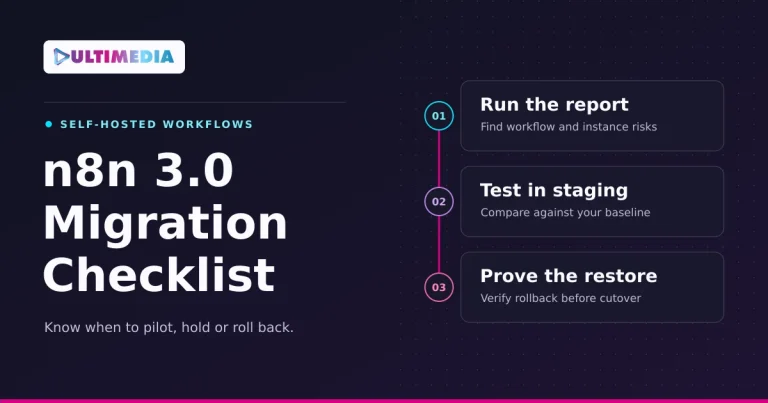
A practical n8n 3.0 migration checklist starts while your current version still works. Run the Migration Report, test your workflows against a baseline and prove you can restore your data before you touch production. On 25 November 2026, n8n’s guidance still described 3.0 as early access and planned stable for early December. GitHub listed 3.4.0 as a pre-release. Treat that date as a plan, not a release guarantee. Confirm the current stable channel before choosing and pinning an exact target.
Watch: n8n 3.0 migration checklist
Watch our 6-minute, 49-second UltiMedia explainer covering migration readiness, breaking changes, staging tests and safe rollback.
Watch the complete series: n8n 3.0 Migration Guide | Breaking Changes, Upgrades & Automation.
1. Decide which path applies
Self-hosted 1.x: plan a tested move through 2.x before v3. n8n announces an end to 1.x support on 31 December 2026; check the latest vendor guidance before scheduling.
Self-hosted 2.x: record your exact build and deployment mode. From 2.39 onward, open Settings → Migration Report. Review both Workflow issues and Instance issues. Inspect any automatic fixes before publishing a changed workflow. n8n says 2.x will receive security and critical fixes for 12 months after 3.0 becomes stable, so schedule a staged move rather than racing to cut over. If you currently run via npm or npx, include the move to Docker in the staging plan: n8n documents Docker as the supported self-hosted v3 path.
n8n Cloud: these infrastructure steps are for self-hosted operators. Use the Cloud version controls and vendor guidance for your instance.
2. Record what a failed upgrade would break
Start with active customer-facing triggers, scheduled jobs and workflows that can send or write data. Read the official breaking-change notes alongside the report. Check legacy Cron/Interval and Function nodes, older OpenAI node configurations, community nodes, environment settings and any external dependency that controls a business output. A clean report is not a test of customer behaviour.
Impact matrix columns: workflow | owner | trigger | dependency | test fixture | baseline and expected output | restore evidence | pass/hold.
Illustrative row: Support intake | Service lead | webhook + weekday digest | CRM sandbox + email sink | two synthetic tickets retried once | one record per ticket, no duplicates, digest at 08:00 Africa/Johannesburg | verified record and credential access on an isolated restore | pending.
Turn the release notes into concrete tests. Prioritise changes that affect customer-facing outputs:
- Scheduled jobs: replace legacy Cron and Interval nodes with Schedule Trigger. Verify the first expected run and the next weekday run in Africa/Johannesburg, not just that the workflow opens.
- Binary files: in-memory binary storage is removed. If workflows move invoices or attachments, compare an uploaded sample with the downloaded result and verify that configured persistent storage survives a restart.
- Queue mode: manual runs execute on workers. Test one manual and one triggered run so missing worker-side configuration doesn’t first surface at cutover.
- Code nodes: n8n lowers the default task-runner timeout to one minute. Include a representative slow fixture and agree what a timeout should do before adjusting limits.
3. Rehearse without creating real side effects
Use a separate staging instance and only permitted, sanitised fixtures. Replace real mailbox, CRM, payment and messaging destinations with sinks or sandboxes. Disable copied production triggers until you explicitly test them. Run identical fixtures on your pinned 2.x baseline and staged target. Compare records, time zones, webhook status and response bodies, retry behaviour and human approvals. Test a duplicate event and one failed dependency, not just the successful path. Log intended differences and get the workflow owner’s sign-off.
4. Make rollback a demonstrated action
Back up the database, deployment configuration, encryption key and any persistent or external binary storage your deployment actually uses. Keep encrypted backup material and key access controlled, and record the known-good image and deployment settings. Restore into an isolated instance running that known-good version. Verify a workflow opens, an approved test credential decrypts, representative records and binary files are readable, and a test run produces its expected output. Record the restore time and agree what happens to events received during the cutover. Never assume you can point the old image at a database already migrated by the new version.
An exported workflow is useful evidence, but it is not a full restore. Keep the credential encryption key available to authorised operators, verify how persistent volumes or external storage are restored and keep real secrets out of test logs. n8n says there is no direct downgrade from 3.x to 2.x; restore the known-good backup instead.
5. Set your go, hold and rollback gates
GO for a production pilot only after the chosen target is confirmed stable, high-impact workflows pass staging, restore succeeds inside your agreed recovery window, and the business owner signs off. HOLD for unresolved migration flags, untested credentials or email/webhook failures. DEFER a general rollout while production depends on an early-access build or recovery has not been demonstrated. During the approved pilot, agree in advance when failed critical triggers, duplicate writes or lost records will trigger rollback.
6. n8n 3.0 migration checklist: seven sign-off checks
Use this n8n upgrade checklist as an acceptance record, not a promise that the migration will succeed. Mark each item pass, hold or not applicable. Assign an owner and attach evidence before signing off.
- Confirm the release channel, exact version and supported deployment method.
- Record both tabs of the n8n Migration Report and resolve or document findings.
- Map business-critical workflows and compare their expected outputs.
- Test credentials, schedules, webhooks, workers and persistent binary storage in staging.
- Restore the known-good backup on an isolated instance and record recovery time.
- Approve the cutover window, event reconciliation and rollback thresholds.
- Monitor pilot executions and obtain business-owner approval before expanding the rollout.
7. November 2026 release evidence
On 23 November, the official n8n 2.49.4 release notes recorded fixes for Migration Report access and narrow-screen controls. On 24 November, n8n 3.4.0 appeared as a pre-release. Neither fact establishes that v3 is ready for your production workloads.
Research checked 25 November 2026. November release records supplement the vendor’s October announcement and preparation guidance, which establish the original migration policy. We distinguish those dates rather than presenting older documentation as November news.
Frequently asked questions
Is n8n 3.0 ready for production?
As of 25 November 2026, n8n 3.x remains an early-access release according to the vendor documentation and November release records. UltiMedia recommends using a separate test environment and retaining a supported 2.x production deployment until the stable release and your own acceptance checks are complete.
Where do I find the n8n Migration Report?
On n8n 2.39 or later, open Settings and select Migration Report. Review workflow and instance findings separately. Examine any automatically modified workflow before publishing it, and test business outcomes in staging. The report identifies compatibility concerns but cannot prove that external integrations still behave as expected.
Can I downgrade from n8n 3.x to 2.x?
The vendor does not support a direct downgrade. Restore a backup from your known-good 2.x deployment instead. Include the database, encryption key, deployment configuration and applicable persistent storage in your recovery plan. Rehearse the restore before cutover and record the time and evidence of success.
What does a self-hosted n8n migration require?
The n8n 3.0 breaking changes include a Docker-based deployment requirement for self-hosted installations. If you currently use npm or npx, plan and test a move to Docker before upgrading. Compare workflow outputs, credentials and storage behaviour against your existing deployment in an isolated environment.
Need help with your n8n 3.0 migration checklist?
For foundational learning, see UltiMedia’s n8n Zero to Automation guide. For hands-on help planning a safe change, talk to UltiMedia about workflow automation.